








01 December 2025 • 9 min read
Jordan Flag: Colors, Star & the Story Behind the Nation’s Symbol
We noticed you're in United States. Do you want to switch to your location and currency?
Stay connected in Jordan with reliable mobile data on Orange, Umniah, and Zain from just $5. Skip the daily roaming fees from your home carrier. Get the best eSIM Jordan coverage across Amman, Aqaba, Petra, and beyond on Jordan's most reliable mobile carriers.
4.8/5
(50,000+ reviews)
5G
Multi-carrier switching
100%
Money-back guarantee
1.5M+
Happy customers
4.8/5
(50,000+ reviews)
5G
Multi-carrier switching
100%
Money-back guarantee
1.5M+
Happy customers

Ensure your device supports eSIM before buying.
Flexi
Essential data for quick trips.

Dial in your daily app habits to unlock a data recommendation customized for your trip.
Step 1 of 3
Where are you travelling?

For how many days?
Where are you travelling?
For how many days?
Social Media
Instagram, TikTok, Snapchat, X, Threads
Video & Audio Streaming
YouTube, Netflix, Spotify, Disney+, Podcasts
Messaging & Video Calls
WhatsApp, FaceTime, iMessage, Zoom, Teams
Navigation & Web
Google Maps, Apple Maps, Safari, Chrome, Google Search
Hotspot & Tethering
Will you share internet with laptops, tablets, or other people?
Why pay for data you will not use? Tell us a bit about your holiday scrolling habits and trip duration. We will calculate your exact data footprint and suggest the absolute best value plan that fits your vacation perfectly.

Your recommendation
Complete all selections to see your best match.
SimCorner Jordan eSIM delivers fast 5G/4G speeds via Jordan’s top local networks, so your everyday apps run smoothly throughout your trip.

Keep your existing WhatsApp number and enjoy lag-free voice and video calls.

Post photos, videos, and stories to Instagram or TikTok without interruptions.

Use Google Maps to navigate cities and manage your travel plans on the go.

Book rides through the Uber or Careem apps for fast, stress-free pickups in Amman.

Manage your digital bookings and mobile tickets for the Jordan Pass via email instantly.
Trusted by Global Media





Worried about running out of data?
Travel on your own terms. Every SimCorner eSIM is top-up ready—giving you the freedom to start small and add more only if you need it.
Don't get caught in the AU$10/day roaming trap. We have compared the SimCorner eSIM for Jordan to the standard international roaming passes from Telstra, Optus, and Vodafone.
| Features SimCorner eSIM Jordan | SimCorner eSIM Jordan | AU Telco Daily Roaming Pass |
|---|---|---|
Daily Cost Average ~$1.50 per day | Daily Cost AU$5–$10 per day | |
Data Usage 1GB to Unlimited | Data Usage 2GB–3GB cap (Auto-charged if exceeded) | |
Plan Choice Full Flexibility (Choose what you want) | Plan Choice Single option (Locked to home plan) | |
Surprise Bills Zero (Prepaid) | Surprise Bills Potential postpaid bills | |
Speed Local 5G/4G Speeds | Speed High latency (routing via Australia) |
Note: Comparison based on standard International Roaming Day Passes as of 2026. Costs may vary based on your specific mobile plan.
Save up to AU$210 on a 31-Day Trip
SimCorner Jordan 100GB eSIM:
AU$100 (Upfront, one-time, zero overages)
Standard AU Telco Roaming:
AU$310+ (Auto-overage risk)
We use Jordan’s top-tier networks, so you stay connected everywhere.
By utilising Jordan's top networks, our coverage reaches the most populated areas.

Traveller Note
While urban coverage is excellent, speeds may naturally dip in the deep desert reaches of Wadi Rum or remote mountain canyons.
Jordan is a well-connected nation. While exploring, a eSIM Jordan is essential for navigating busy urban areas and ensuring you have access to essential travel tools.

Maintain reliable speeds in busy locations like the Amman Citadel or the Rainbow Street markets.

Lag-free performance for real-time traffic updates, Careem bookings, and digital Jordan Pass access.
Instantly translate Arabic text on menus and street signs without any frustrating loading delays.
5G is standard in all major Jordanian cities and transport corridors. Your device will automatically connect to 4G in more remote areas to ensure your eSIM card Jordan stays connected.
Note: Requires a 5G/4G and eSIM-compatible, network-unlocked device.
Share your entire data allowance with ease. All SimCorner eSIM Jordan plans support personal hotspots for laptops, tablets, or other travellers.
Explore Popular eSIM Destinations
Global roaming is a thing of the past. SimCorner provides prepaid connectivity in 200+ destinations. Check out our most popular plans:
Don't settle for 'hidden limits' or 'app-only' support. We provide a transparent, high-performance alternative to other Jordan tourist eSIMs.
| FEATURESTHE SIMCORNER ADVANTAGE | THE SIMCORNER ADVANTAGE | Other eSIMs Jordan |
|---|---|---|
Data Policy 100% Transparent – No hidden fees or undisclosed daily limits. | 100% Transparent – No hidden fees or undisclosed daily limits. | Often hidden speed drops after 1-2GB of use. |
Hotspot Uncapped - Use your full plan to tether other devices. | Uncapped - Use your full plan to tether other devices. | Often restricted to 0.5-1GB total sharing. |
Support Human-led Support - Direct email and expert help. | Human-led Support - Direct email and expert help. | Primarily AI Chatbots with no direct contact. |
Security Private & Secure - No forced app downloads. | Private & Secure - No forced app downloads. | Often requires invasive app downloads. |
You don't need to be a tech expert to get connected. Our setup process for the eSIM card Jordan takes less than 2 minutes and can be done before you even leave your home country.
Select the data plan and validity that fits your trip. Complete your purchase securely, and your SimCorner eSIM Jordan QR code will arrive in your inbox within minutes.
Select the data plan and validity that fits your trip. Complete your purchase securely, and your SimCorner eSIM Jordan QR code will arrive in your inbox within minutes.
Scan and Install Before You Fly
We recommend setting up your Jordan eSIM before your departure.* Simply scan the eSIM QR code from your email (or upload the screenshot) and follow the on-screen prompts.
Scan and Install Before You Fly
We recommend setting up your Jordan eSIM before your departure.* Simply scan the eSIM QR code from your email (or upload the screenshot) and follow the on-screen prompts.
Switch On and Connect
Once you arrive at your destination, head into your phone's settings:
Switch On and Connect
Once you arrive at your destination, head into your phone's settings:
Note: Keep Data Roaming OFF in your settings until you land to ensure your validity period doesn't start prematurely.
Can't scan? You can also manually enter the activation code provided in your email.



Land. Activate. Connect.
Join 1.5M+ happy travelers choosing SimCorner!
Travel smart, stay connected
Planning a multi-country trip including Jordan? Get one eSIM for multiple countries—stay connected across the region without reinstalling hassle at every border.

We recommend installing your eSIM Jordan before departure or at the airport before boarding. The installation requires a stable internet connection. Completing this step ahead of time ensures that your eSIM is ready to connect instantly upon arrival.
Note: Some eSIMs activate directly upon scanning the QR code. Check ‘Things to Know’ on the product page, or refer to your post-purchase email for your custom setup guide.Yes, a stable Wi-Fi or cellular data connection is mandatory during the initial installation phase. Your device must communicate directly with the network servers to download the digital eSIM profile. Attempting to install the eSIM Jordan without an internet connection will result in a setup failure.
Note: Most SimCorner eSIMs do not need internet for activation. Enabling data roaming triggers the activation.You can use the SimCorner App for live data tracking and instant on-the-go recharges.
If you prefer not to use the app, you can also monitor your usage directly through your device's native cellular settings. Please note that top-up availability varies by product, so be sure to check your specific product details before purchasing to confirm if your chosen plan is eligible for recharges.Yes! The eSIM provides data only, so your regular number stays active for calls/texts (via Wi-Fi or your home carrier).
iOS:
Go to Settings > General > About
Scroll down to Available SIM (or Digital SIM).
If an IMEI or EID number is listed, your iPhone supports eSIM.
Android:
Dial *#06#on your keypad.
If an EID (Embedded Identity Document) number appears on your screen, your device supports eSIM.
iOS: Navigate to Settings > General > About and find Network Provider Lock. If it says No SIM restrictions, your device is unlocked.
Android: The most accurate test is to temporarily insert a physical SIM card or install an eSIM from a different mobile network. If your phone connects to the network and you can make a call or use data, your device is unlocked.Apple manufactures iPhones for the Chinese, Hong Kong, and Macau markets without an internal eSIM chip. To comply with local regulatory demands and consumer preferences, Apple replaced the eSIM hardware entirely with a dual-sided physical tray for nano-SIMs.
Got an iPhone from one of these regions? Explore our physical Jordan SIM card options.
Storage: Most modern smartphones allow you to download and store between 5 and 10 distinct eSIM profiles directly on their internal chip.
Usage: While you can store many, you can generally only run one or two profiles actively alongside your primary home SIM card at any given time, depending on your device generation.
Yes, modern smartphones feature Dual SIM technology, allowing your physical home SIM and your digital eSIM Jordan to run simultaneously. You simply assign data usage to your SimCorner profile while keeping your home line active for incoming OTPs.
Note: Receiving incoming calls will trigger roaming charges from your home provider.No, we believe in complete transparency. Unlike other providers who hide their speed drops in fine print, our limits are fully disclosed up front. Your eSIM Jordan unlimited plan includes:
To receive bank verification SMS codes (2FA) using our eSIM for Jordan, your device must support Dual SIM functionality so your home SIM remains active alongside your travel plan.
Pro-Tip: If your phone only runs one active SIM at a time, your home line will become temporarily inactive. To prevent losing account access, we highly recommend setting up email-based 2FA or an authenticator app before you depart.Yes, you can get a refund. Please reach out to our 24/7 customer support as soon as possible.
If your travel plans change or your trip is canceled, SimCorner offers a flexible refund policy for unused profiles. As long as your eSIM Jordan has not been installed or activated on a device, you are eligible for a return and refund.5% Price Beat: If you find an identical, cheaper travel plan from another provider, even on sale, we will beat their listed price by 5%.
30-Day Price Lock: If our own price falls within 30 days of your purchase, we will credit you the difference.
To learn more about how we protect your travel budget, visit SimCorner’s purchase guarantees.We stand behind our connectivity. Our 100% money-back guarantee covers you if your device is confirmed to be eSIM-compatible and unlocked, yet you experience a verified network failure that our 24/7 technical support team cannot resolve.
Simply reach out to us at support@simcorner.com so our experts can assist you with real-time troubleshooting or process a prompt refund.Staying connected is just the start. Whether you're navigating Amman’s steep streets or arranging desert transport via Careem, our local guides help you explore Jordan with absolute confidence.
Manage Your eSIM JordanEasily with the SimCorner App
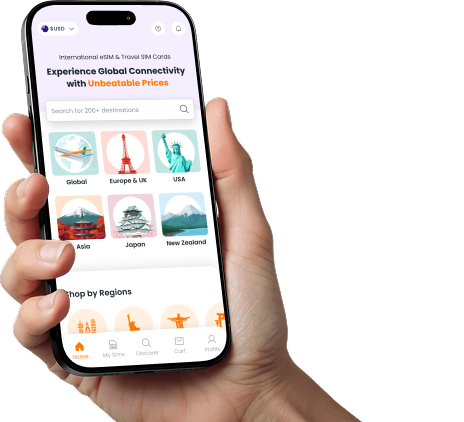
Install, activate, and top-up your eSIM Jordan in seconds.
Stay in control of your connection from departure to arrival—monitor your data usage in real time and add data instantly while you explore Jordan.