





We noticed you're in United States. Do you want to switch to your location and currency?

eSIM Singapore

Choose the Right eSIM Singapore Plan in 30 Seconds

Here’s a quick plan guide to help you buy the right SimCorner eSIM for Singapore:

FeaturesStandard Singapore Data eSIM Plan
Best forBudget and Practicality
Data AllowanceFlexi: 1–50GB Ultra: 20GB, 50GB, 100GB
NetworkFlexi: Singtel & StarHub Ultra: M1, Singtel & StarHub
HotspotFull Sharing (Use all data)
Typical UsageFlexi: Google Maps, Translation, Browsing, and WhatsApp Ultra: HD Streaming, Video Calls, Social Media, and Hotspotting
Trip DurationFlexi: 7–45 Days Ultra: 31 Days
Value PropPay only for what you need

How Much Data Do You Need for an eSIM in Singapore?

Travel data adds up quickly, especially with high-definition media. Use these benchmarks to estimate your daily data needs before buying a Singapore tourist eSIM:

Navigation

10–20MB per hour (Essential for navigating the MRT network and finding hidden gems in Tiong Bahru). 10–20 MB / Hour

Video Streaming

2–3GB per hour (YouTube/Netflix HD during commutes or while relaxing at your hotel). 2–3 GB

Messaging

Negligible (Staying in touch via WhatsApp or the regionally popular Grab chat).. Negligible / Hour

Video Calls

500MB–1GB per hour (FaceTime/WhatsApp calls to family back in Australia).. 500 MB – 1 GB

Social Media

600–900MB per hour (Uploading 4K Reels of the Gardens by the Bay light show or Marina Bay Sands).. 600–900 MB / Hour

Translation Apps

<15MB per hour (Using Google Lens to translate menus or street signs at Hawker centres instantly).. Minimal

Which Traveller Are You?

The Minimalist — 1–10 GB

Short trips or digital detox travellers. Basic navigation, Texting & Translate, Offline photo sync, Hotel Wi-Fi reliant

The Explorer — 10–30 GB

The “sweet spot” for standard vacations.. Daily social posting, Constant GPS use, Cloud backups on, Casual streaming

The Power User — 500 GB – Unlimited

Digital nomads & group sharing.. Laptop tethering, Occasional HD video uploads, HD movie streaming, Group hotspotting

Worried about running out of data?

Travel on your own terms. Every SimCorner eSIM is top-up ready—giving you the freedom to start small and add more only if you need it.. Instant One-Click Top-Up, No New QR Codes or Re-installing, One eSIM for Your Entire Journey

Stay Connected to What Matters on Your Singapore Trip

SimCorner Singapore eSIM delivers fast 4G/5G speeds via Singapore’s top local networks, so your everyday apps run smoothly throughout your trip.

Keep your existing WhatsApp number and enjoy lag-free voice and video calls.

Post photos, videos, and stories to Instagram or TikTok without interruptions.

Use Google Maps to navigate cities and manage your travel plans on the go.

Book rides through the Grab or Gojek apps for fast, stress-free pickups across the city

Tap and go on trains and buses using Apple Wallet or Google Pay linked to your contactless card—no top-ups required.

Trusted by Global Media

Canstar, WhistleOut, News.com.au, Daily Star, Mirror

SimCorner vs Australian Telco Roaming

Don't get caught in the AU$10/day roaming trap . We have compared the SimCorner eSIM for Singapore to the standard international roaming passes from Telstra, Optus, and Vodafone.

FeaturesSimCorner eSIM SingaporeAU Telco Daily Roaming Pass
Daily CostAverage ~$1.50 per dayAU$5–$10 per day
Data Usage1GB to Unlimited2GB–3GB cap (Auto-charged if exceeded)
Plan ChoiceFull Flexibility (Choose what you want)Single option (Locked to home plan)
Surprise BillsZero (Prepaid)Potential postpaid bills
SpeedLocal 5G/4G SpeedsHigh latency (routing via Australia)

Note : Comparison based on standard International Roaming Day Passes as of 2026. Costs may vary based on your specific mobile plan.

Real Example: Save up to AU$210 on a 31-Day Trip

SimCorner Singapore 100GB eSIM: AU$100 (Upfront, one-time, zero overages) Standard AU Telco Roaming: AU$310+ (Auto-overage risk) The Result: That’s AU$210 back in your pocket —enough for a visit to Gardens by the Bay and an unforgettable Singapore Zoo Night Safari experience.

Save up to AU$210 on a 31-Day Trip

SimCorner Singapore 100GB eSIM:. AU$100 (Upfront, one-time, zero overages). Standard AU Telco Roaming:. AU$310+ (Auto-overage risk). The Result:. That's AU$210 back in your pocket —enough for a visit to Gardens by the Bay and an unforgettable Singapore Zoo Night Safari experience.

SimCorner eSIM Singapore: 5G Coverage and Networks

We use Singapore’s top-tier networks and automatically switch to the strongest local signal so you stay connected everywhere.

NetworkBest ForHow It Wins
M1Consistent PerformanceReliable 4G and 5G signals for seamless streaming and navigation throughout the main island.
SingtelThe Nationwide TravellerOffers the most extensive coverage across Singapore, including underground MRT stations and Sentosa Island.
StarHubUrban ConnectivityExceptional speeds in high-density areas like the Central Business District and Marina Bay.

Where Your SimCorner Singapore eSIM Works Best

By utilising Singapore's top networks, our coverage reaches 99% of Singapore's populated areas .

Major Hubs

Changi Airport, the Central Business District, Marina Bay, Orchard Road, Sentosa Island

Transit

Consistent connectivity across all MRT lines, major bus interchanges, and the Ayer Rajah Expressway (AYE) .

Sightseeing Regions

Full coverage from the futuristic structures of Gardens by the Bay to the coastal trails of Pulau Ubin

Traveller Note

While urban coverage is nearly 100%, speeds may naturally dip in heavy industrial zones or within the dense foliage of the Bukit Timah Nature Reserve.

The 5G Advantage in Singapore

Singapore is a 5G-first nation . While 4G is reliable, a 5G eSIM in Singapore is essential for navigating high-density areas where networks often become congested.

Crowd Proof

Lag-free performance for real-time MRT updates, Grab bookings, and augmented reality navigation through Changi Airport.

Instant Logistics

Lag-free performance for real-time AVE train updates, Cabify bookings, and digital museum tickets.

Seamless Translation

Instantly translate signage and menus at local Hawker centres or museum exhibits without any frustrating loading delays.

Explore Popular eSIM Destinations

Global roaming is a thing of the past. SimCorner provides prepaid connectivity in 200+ destinations. Check out our most popular plans:

eSIM Europe, eSIM UK, eSIM North America, eSIM USA, eSIM Japan, eSIM New Zealand, eSIM Indonesia (Bali), eSIM Australia

Technology Availability

Singapore has near-nationwide 5G coverage across urban districts, MRT lines, and major road networks. Your device will automatically drop to 4G in more remote areas to ensure your eSIM card in Singapore stays connected.. Note: Requires a 5G/4G-compatible, network -unlocked device.

Hotspot & Tethering

Share your entire data allowance with ease. All SimCorner eSIM Singapore plans support personal hotspots for laptops, tablets, or other travellers.

How SimCorner Singapore eSIM Compares to Other Providers

Don't settle for hidden limits or app-only support. We provide a transparent, high-performance alternative to other Singapore tourist eSIMs.

FEATURES. THE SIMCORNER ADVANTAGE. COMMON eSIM FOR TRAVEL. OTHER PROVIDERS

Data Policy. 100% Transparent - No hidden fees or undisclosed throttles.. Often hidden speed drops after 1-2GB of use.. Policies vary by provider and plan.

Hotspot. Uncapped - Use your full plan to tether other devices.. Often restricted to 0.5-1GB total sharing.. Availability depends on the provider.

Support. Human-led Support - Direct email and expert help.. Primarily AI Chatbots with no direct contact.. Support quality depends on local store access.

Security. Private & Secure - No forced app downloads.. Often requires invasive app downloads.. Activation may require extra identity checks.

Device Options. Physical Singapore SIM Card —A backup for every device.. Digital-only; no backup for older phones.. Usually physical-only with limited plan flexibility.

How to Activate eSIM Singapore in 3 Easy Steps

You don't need to be a tech expert to get connected. Our setup process for the eSIM card Singapore takes less than 2 minutes and can be done before you even leave your home country.

01. Choose your eSIM plan for Singapore

Select the data plan and validity that fits your trip. Complete your purchase securely, and your SimCorner eSIM Singapore QR code will arrive in your inbox within minutes.

02. Scan and Install Before You Fly

We recommend setting up your Singapore eSIM before your departure. * Simply scan the eSIM QR code from your email (or upload the screenshot) and follow the on-screen prompts.

03. Switch On and Connect

Once you arrive at your destination, head into your phone's settings:. Set your Mobile Data to the SimCorner eSIM., Turn Data Roaming ON for the SimCorner eSIM.

ⓘ *Setup Notice : eSIM installation differs by product. Please check the Things to Know section on the product page, or refer to your post-purchase email for your custom setup guide.

Land. Activate. Connect.

Join 1M+ happy travelers choosing SimCorner!

Zero Roaming, Instant Activation, 24/7 Support

10% OFF. On your First Purchase. Travel smart, stay connected

Travel Beyond Singapore with High-Speed 5G Regional eSIMs

Planning a multi-country trip including Singapore? Get one eSIM for multiple countries —stay connected across the region without reinstalling hassle at every border.

Asia eSIMs

2 Plans. From. AUD$5

Global eSIMs

1 Plan. From. AUD$55

Shop All Destinations eSIMs

Plans. From. AUD$55

FAQs About SimCorner eSIM for Singapore

About This eSIM

What is the best eSIM for Singapore?

SimCorner stands out as the best eSIM for Singapore, balancing top-tier network coverage, flexible data packages, instant email delivery, and seamless QR code activation. Whether you are travelling for work or vacation, our eSIM Singapore plans deliver local 5G/4G speeds with no roaming fees.

Does the eSIM Singapore come with a local phone number?

This is a data-only travel eSIM and does not include a local Singaporean (+65) phone number for traditional voice calls or SMS. However, you can maintain full voice and text connectivity by using data-based apps like WhatsApp, FaceTime, Viber, and Messenger. This allows you to stay connected with high-speed data without the privacy risks, mandatory passport uploads, or long retail queues associated with local SIM registrations.

Will my eSIM Singapore work the moment I land at Changi Airport?

Yes, your SimCorner eSIM Singapore is designed for immediate activation. As soon as you land at Changi and enable roaming on the eSIM, it will connect to the local Singtel, StarHub, or M1 networks. This allows you to book a Grab or check your hotel's location immediately without hunting for public Wi-Fi.

Can I use my eSIM Singapore while visiting Sentosa Island?

The M1, Singtel, and StarHub networks provide comprehensive coverage across Sentosa. Whether you are at Universal Studios or lounging at Siloso Beach, yourSimCorner eSIM Singapore will maintain a strong 4G/5G connection, ensuring you can upload photos or navigate the island's shuttle bus routes without any interruptions.

Is the connection stable on the MRT underground lines?

Singapore is world-renowned for its infrastructure, and the MRT system is no exception. Your SimCorner Singapore eSIM will provide consistent data coverage even while you are travelling through underground tunnels on the North-South or Downtown lines. You can stay connected to messaging apps and browse the web seamlessly during your commute between major sightseeing stops.

What should I do if I run out of data on my Ultra 20–100GB plan?

If you exceed your fixed allowance on this plan, your data connection will stop. If you anticipate heavy usage on this plan, purchase multiple eSIMs in advance to swap over when the first one is finished. However, if you are on the Flexi 1–50GB or Unlimited plans, top-ups are available to restore connectivity during your trip.

Do I need a physical SIM card if I use a eSIM Singapore?

No, you do not need a physical SIM. The Singapore travel eSIM is entirely digital. However, most travellers keep their Australian physical SIM in their phones but turn off Data Roaming for that line to avoid triggering the daily roaming charges. This allows you to use the eSIM for all your data needs while still receiving important bank T-codes via SMS on your original number.

Does the eSIM Singapore support 5G connectivity?

Yes, provided your device is 5G-compatible, and you are in a 5G coverage zone. Singapore has one of the most advanced 5G rollouts in the world. Using your eSIM Singapore, you can experience ultra-fast speeds on the Singtel, M1, or StarHub networks in most major urban areas, including Marina Bay, Orchard Road, and the CBD.

Can I use the eSIM Singapore for tethering or as a mobile hotspot?

Yes, you can use your eSIM for Singapore to create a personal hotspot for other devices, such as a laptop or tablet. This is particularly useful if you need to do some work or share your entire 1--100GB data allowance with travel companions while exploring the city or relaxing in your hotel room.

How do I navigate the city if my data is slow in crowded areas?

In very crowded areas like Little India during festivals or Orchard Road during sales, network congestion can occur. However, because our eSIM Singapore gives you access to multiple networks like Singtel and StarHub, your phone will typically manage the connection effectively. Having a digital map like Citymapper pre-loaded via your eSIM data is highly recommended.

Is it better to buy an eSIM than a local SIM card at a 7-Eleven?

Under Singapore’s Telecommunications Act, buying a local SIM at a 7-Eleven or airport requires mandatory identity registration with a physical passport. SimCorner’s eSIM is pre-registered, allowing you to bypass these legal hurdles and retail queues. Simply install it before you leave home to connect the second you land, keeping your Australian SIM safe and your passport details secure.

Setup & Activation

When is the best time to install my eSIM Singapore data plan?

We recommend installing your eSIM Singapore before departure or at the airport before boarding. The installation requires a stable internet connection. Completing this step ahead of time ensures that your eSIM is ready to connect instantly upon arrival. Note : Some eSIMs activate directly upon scanning the QR code. Check ‘Things to Know’ on the product page, or refer to your post-purchase email for your custom setup guide.

How do I install and activate my eSIM Singapore?

iPhone : Go to Settings > Mobile > Add eSIM . Android : Go to Settings > Connections > SIM manager > Add eSIM . Scan your QR code or enter details manually. Label the line as ‘SimCorner eSIM’. Upon arrival, simply turn ON Data Roaming and Mobile Data for your SimCorner line to connect.

Do I need an active internet connection to install my Singapore eSIM?

Yes, a stable Wi-Fi or cellular data connection is mandatory during the initial installation phase. Your device must communicate directly with the network servers to download the digital eSIM profile. Attempting to install the eSIM Singapore without an internet connection will result in a setup failure. Note : Most SimCorner eSIMs do not need internet for activation. Enabling data roaming triggers the activation.

Can I install the Singapore eSIM using a screenshot or image from my gallery?

Yes, with most modern iOS and Android devices, you can upload a screenshot or image directly through the Add eSIM menu. If your specific device does not support gallery uploads, you can display the Singapore eSIM QR code on a laptop, tablet, printout, or secondary screen and scan it using your phone's camera.

When does the validity countdown start, and how are days calculated?

The validity period does not begin upon purchase or installation. The countdown starts only when your eSIM Singapore gets activated by connecting to a supported local network. From the activation time, your plan days are calculated based on continuous 24-hour cycles.

Does the Singapore eSIM expire if left unactivated?

No, our Singapore eSIM does not expire or get auto-activated, unlike many other eSIM providers who enforce 15–30-day activation periods. You can safely purchase your eSIM data plan months in advance during a sale or while planning your itinerary. Your eSIM Singapore remains dormant and ready for use whenever your trip begins.

Can I transfer my active eSIM Singapore profile to another phone?

No, travel eSIMs are single-use digital profiles that lock to the physical hardware of the initial device. Once a QR code has been scanned, it cannot be transferred to a different handset. Additionally, if you delete the profile from your settings, it cannot be re-scanned or reused.

How do I track my data balance and purchase top-ups?

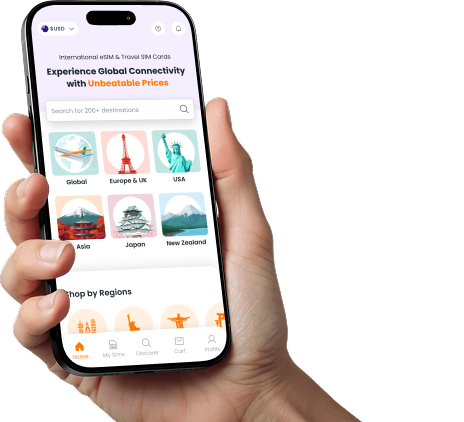
You can use the SimCorner App for live data tracking and instant on-the-go recharges. If you prefer not to use the app, you can also monitor your usage directly through your device's native cellular settings. Please note that top-up availability varies by product, so be sure to check your specific product details before purchasing to confirm if your chosen plan is eligible for recharges.

Device Compatibility

How do I check if my device is eSIM compatible?

iOS: Go to Settings > General > About Scroll down to Available SIM (or Digital SIM ). If an IMEI or EID number is listed, your iPhone supports eSIM. Android: Dial *#06# on your keypad. If an EID (Embedded Identity Document) number appears on your screen, your device supports eSIM.

How do I check if my device is carrier-unlocked?

iOS : Navigate to Settings > General > About and find Network Provider Lock. If it says No SIM restrictions , your device is unlocked. Android : The most accurate test is to temporarily insert a physical SIM card or install an eSIM from a different mobile network. If your phone connects to the network and you can make a call or use data, your device is unlocked.

Can I use Singapore eSIM if my phone is currently locked to a network carrier?

No, you cannot use an eSIM Singapore if your phone is locked to your home provider. Carrier-locked phones automatically reject any third-party travel eSIM profiles. You must contact your current carrier to fully unlock your device before attempting to install or activate our Singapore travel eSIM.

Why are iPhones from Mainland China, Hong Kong, or Macau incompatible?

Apple manufactures iPhones for the Chinese, Hong Kong, and Macau markets without an internal eSIM chip. To comply with local regulatory demands and consumer preferences, Apple replaced the eSIM hardware entirely with a dual-sided physical tray for nano-SIMs. Got an iPhone from one of these regions? Explore our physical Singapore SIM card options.

How many eSIM profiles can I store and run on my phone at the same time?

Storage : Most modern smartphones allow you to download and store between 5 and 10 distinct eSIM profiles directly on their internal chip. Usage : While you can store many, you can generally only run one or two profiles actively alongside your primary home SIM card at any given time, depending on your device generation.

Will this eSIM work on a jailbroken (iOS) or rooted (Android) device?

Yes, but we cannot guarantee optimal network performance because jailbreaking or rooting modifies core security protocols. Security flags within cellular operating systems can occasionally interfere with the profile registration process or prevent automatic network connections.

Services & Policies

Can I keep my home SIM in my phone alongside the eSIM Singapore?

Yes, modern smartphones feature Dual SIM technology, allowing your physical home SIM and your digital eSIM Singapore to run simultaneously. You simply assign data usage to your SimCorner profile while keeping your home line active for incoming OTPs. Note : Receiving incoming calls will trigger roaming charges from your home provider.

Can I keep my original WhatsApp and iMessage accounts?

Yes, these services are linked to your home phone number or account rather than the SIM card. When you insert your eSIM Singapore, your apps may prompt you to update your number—always select Keep Existing Number. This ensures your account, chat history, and contacts remain tied to your home number, allowing you to message and call as usual throughout your trip.

Does my Singapore unlimited data eSIM have a hidden Fair Usage Policy (FUP) throttle?

No, we believe in complete transparency. Unlike other providers who hide their speed drops in fine print, our limits are fully disclosed up front. Your eSIM Singapore unlimited plan includes: High-Speed Data: 3GB of 4G/5G data per day. Speed After 3GB: If you exceed 3GB in a day, your speed drops to 128kbps. Reset Time: Every 24 hours from the exact time of your initial activation.

Can I still receive bank SMS codes (2FA) while using eSIM Singapore?

To receive bank verification SMS codes (2FA) using our eSIM for Singapore, your device must support Dual SIM functionality so your home SIM remains active alongside your travel plan. Pro-Tip : If your phone only runs one active SIM at a time, your home line will become temporarily inactive. To prevent losing account access, we highly recommend setting up email-based 2FA or an authenticator app before you depart.

My trip was canceled; can I get a refund if I haven't used the eSIM?

Yes, you can get a refund. Please reach out to our 24/7 customer support as soon as possible. If your travel plans change or your trip is canceled, SimCorner offers a flexible refund policy for unused profiles. As long as your eSIM Singapore has not been installed or activated on a device, you are eligible for a return and refund.

What are the SimCorner 5% price beat and 30-day price lock guarantees?

5% Price Beat : If you find an identical, cheaper travel plan from another provider, even on sale, we will beat their listed price by 5%. 30-Day Price Lock : If our own price falls within 30 days of your purchase, we will credit you the difference. To learn more about how we protect your travel budget, visit SimCorner’s purchase guarantees .

What is the SimCorner 100% money-back guarantee policy?

We stand behind our connectivity. Our 100% money-back guarantee covers you if your device is confirmed to be eSIM-compatible and unlocked, yet you experience a verified network failure that our 24/7 technical support team cannot resolve. Simply reach out to us at support@simcorner.com so our experts can assist you with real-time troubleshooting or process a prompt refund.

eSIM Singapore: Prepaid 5G Data Plans

Stay connected in Singapore with fast 5G connectivity from $5 across the Lion City without the sting of daily roaming fees from your home carrier. Whether you are exploring the futuristic Gardens by the Bay or navigating the bustling streets of Orchard Road, our eSIM connects you to Singapore's premier carriers, including M1, Singtel, and StarHub, for reliable coverage from Changi Airport to Jurong.

4.8/5

(50,000+ reviews)

5G

Multi-carrier switching

100%

Money-back guarantee

1.5M+

Happy customers

Ensure your device supports eSIM before buying.

Frequently Asked Questions About eSIM Singapore

What is the best eSIM for Singapore?
SimCorner stands out as the best eSIM for Singapore, balancing top-tier network coverage, flexible data packages, instant email delivery, and seamless QR code activation. Whether you are travelling for work or vacation, our eSIM Singapore plans deliver local 5G/4G speeds with no roaming fees.
Does the eSIM Singapore come with a local phone number?
This is a data-only travel eSIM and does not include a local Singaporean (+65) phone number for traditional voice calls or SMS. However, you can maintain full voice and text connectivity by using data-based apps like WhatsApp, FaceTime, Viber, and Messenger. This allows you to stay connected with high-speed data without the privacy risks, mandatory passport uploads, or long retail queues associated with local SIM registrations.
Will my eSIM Singapore work the moment I land at Changi Airport?
Yes, your SimCorner eSIM Singapore is designed for immediate activation. As soon as you land at Changi and enable roaming on the eSIM, it will connect to the local Singtel, StarHub, or M1 networks. This allows you to book a Grab or check your hotel's location immediately without hunting for public Wi-Fi.
Can I use my eSIM Singapore while visiting Sentosa Island?
The M1, Singtel, and StarHub networks provide comprehensive coverage across Sentosa. Whether you are at Universal Studios or lounging at Siloso Beach, yourSimCorner eSIM Singapore will maintain a strong 4G/5G connection, ensuring you can upload photos or navigate the island's shuttle bus routes without any interruptions.
Is the connection stable on the MRT underground lines?
Singapore is world-renowned for its infrastructure, and the MRT system is no exception. Your SimCorner Singapore eSIM will provide consistent data coverage even while you are travelling through underground tunnels on the North-South or Downtown lines. You can stay connected to messaging apps and browse the web seamlessly during your commute between major sightseeing stops.
What should I do if I run out of data on my Ultra 20–100GB plan?
If you exceed your fixed allowance on this plan, your data connection will stop. If you anticipate heavy usage on this plan, purchase multiple eSIMs in advance to swap over when the first one is finished. However, if you are on the Flexi 1–50GB or Unlimited plans, top-ups are available to restore connectivity during your trip.
Do I need a physical SIM card if I use a eSIM Singapore?
No, you do not need a physical SIM. The Singapore travel eSIM is entirely digital. However, most travellers keep their Australian physical SIM in their phones but turn off Data Roaming for that line to avoid triggering the daily roaming charges. This allows you to use the eSIM for all your data needs while still receiving important bank T-codes via SMS on your original number.
Does the eSIM Singapore support 5G connectivity?
Yes, provided your device is 5G-compatible, and you are in a 5G coverage zone. Singapore has one of the most advanced 5G rollouts in the world. Using your eSIM Singapore, you can experience ultra-fast speeds on the Singtel, M1, or StarHub networks in most major urban areas, including Marina Bay, Orchard Road, and the CBD.
Can I use the eSIM Singapore for tethering or as a mobile hotspot?
Yes, you can use your eSIM for Singapore to create a personal hotspot for other devices, such as a laptop or tablet. This is particularly useful if you need to do some work or share your entire 1--100GB data allowance with travel companions while exploring the city or relaxing in your hotel room.
How do I navigate the city if my data is slow in crowded areas?
In very crowded areas like Little India during festivals or Orchard Road during sales, network congestion can occur. However, because our eSIM Singapore gives you access to multiple networks like Singtel and StarHub, your phone will typically manage the connection effectively. Having a digital map like Citymapper pre-loaded via your eSIM data is highly recommended.
Is it better to buy an eSIM than a local SIM card at a 7-Eleven?
Under Singapore’s Telecommunications Act, buying a local SIM at a 7-Eleven or airport requires mandatory identity registration with a physical passport. SimCorner’s eSIM is pre-registered, allowing you to bypass these legal hurdles and retail queues. Simply install it before you leave home to connect the second you land, keeping your Australian SIM safe and your passport details secure.
When is the best time to install my eSIM Singapore data plan?

We recommend installing your eSIM Singapore before departure or at the airport before boarding. The installation requires a stable internet connection. Completing this step ahead of time ensures that your eSIM is ready to connect instantly upon arrival.

Note: Some eSIMs activate directly upon scanning the QR code. Check ‘Things to Know’ on the product page, or refer to your post-purchase email for your custom setup guide.
How do I install and activate my eSIM Singapore?
  • iPhone: Go to Settings > Mobile > Add eSIM.
  • Android: Go to Settings > Connections > SIM manager > Add eSIM.
Scan your QR code or enter details manually. Label the line as ‘SimCorner eSIM’. Upon arrival, simply turn ON Data Roaming and Mobile Data for your SimCorner line to connect.
Do I need an active internet connection to install my Singapore eSIM?

Yes, a stable Wi-Fi or cellular data connection is mandatory during the initial installation phase. Your device must communicate directly with the network servers to download the digital eSIM profile. Attempting to install the eSIM Singapore without an internet connection will result in a setup failure.

Note: Most SimCorner eSIMs do not need internet for activation. Enabling data roaming triggers the activation.
Can I install the Singapore eSIM using a screenshot or image from my gallery?
Yes, with most modern iOS and Android devices, you can upload a screenshot or image directly through the Add eSIM menu. If your specific device does not support gallery uploads, you can display the Singapore eSIM QR code on a laptop, tablet, printout, or secondary screen and scan it using your phone's camera.
When does the validity countdown start, and how are days calculated?
The validity period does not begin upon purchase or installation. The countdown starts only when your eSIM Singapore gets activated by connecting to a supported local network. From the activation time, your plan days are calculated based on continuous 24-hour cycles.
Does the Singapore eSIM expire if left unactivated?
No, our Singapore eSIM does not expire or get auto-activated, unlike many other eSIM providers who enforce 15–30-day activation periods. You can safely purchase your eSIM data plan months in advance during a sale or while planning your itinerary. Your eSIM Singapore remains dormant and ready for use whenever your trip begins.
Can I transfer my active eSIM Singapore profile to another phone?
No, travel eSIMs are single-use digital profiles that lock to the physical hardware of the initial device. Once a QR code has been scanned, it cannot be transferred to a different handset. Additionally, if you delete the profile from your settings, it cannot be re-scanned or reused.
How do I track my data balance and purchase top-ups?

You can use the SimCorner App for live data tracking and instant on-the-go recharges.

If you prefer not to use the app, you can also monitor your usage directly through your device's native cellular settings. Please note that top-up availability varies by product, so be sure to check your specific product details before purchasing to confirm if your chosen plan is eligible for recharges.
How do I check if my device is eSIM compatible?

iOS:

  1. Go to Settings > General > About

  2. Scroll down to Available SIM (or Digital SIM).

  3. If an IMEI or EID number is listed, your iPhone supports eSIM.

Android:

  1. Dial *#06#on your keypad.

  2. If an EID (Embedded Identity Document) number appears on your screen, your device supports eSIM.

How do I check if my device is carrier-unlocked?

iOS: Navigate to Settings > General > About and find Network Provider Lock. If it says No SIM restrictions, your device is unlocked.

Android: The most accurate test is to temporarily insert a physical SIM card or install an eSIM from a different mobile network. If your phone connects to the network and you can make a call or use data, your device is unlocked.
Can I use Singapore eSIM if my phone is currently locked to a network carrier?
No, you cannot use an eSIM Singapore if your phone is locked to your home provider. Carrier-locked phones automatically reject any third-party travel eSIM profiles. You must contact your current carrier to fully unlock your device before attempting to install or activate our Singapore travel eSIM.
Why are iPhones from Mainland China, Hong Kong, or Macau incompatible?

Apple manufactures iPhones for the Chinese, Hong Kong, and Macau markets without an internal eSIM chip. To comply with local regulatory demands and consumer preferences, Apple replaced the eSIM hardware entirely with a dual-sided physical tray for nano-SIMs.

Got an iPhone from one of these regions? Explore our physical Singapore SIM card options.

How many eSIM profiles can I store and run on my phone at the same time?

Storage: Most modern smartphones allow you to download and store between 5 and 10 distinct eSIM profiles directly on their internal chip.

Usage: While you can store many, you can generally only run one or two profiles actively alongside your primary home SIM card at any given time, depending on your device generation.

Will this eSIM work on a jailbroken (iOS) or rooted (Android) device?
Yes, but we cannot guarantee optimal network performance because jailbreaking or rooting modifies core security protocols. Security flags within cellular operating systems can occasionally interfere with the profile registration process or prevent automatic network connections.
Can I keep my home SIM in my phone alongside the eSIM Singapore?

Yes, modern smartphones feature Dual SIM technology, allowing your physical home SIM and your digital eSIM Singapore to run simultaneously. You simply assign data usage to your SimCorner profile while keeping your home line active for incoming OTPs.

Note: Receiving incoming calls will trigger roaming charges from your home provider.
Can I keep my original WhatsApp and iMessage accounts?
Yes, these services are linked to your home phone number or account rather than the SIM card. When you insert your eSIM Singapore, your apps may prompt you to update your number—always select Keep Existing Number. This ensures your account, chat history, and contacts remain tied to your home number, allowing you to message and call as usual throughout your trip.
Does my Singapore unlimited data eSIM have a hidden Fair Usage Policy (FUP) throttle?

No, we believe in complete transparency. Unlike other providers who hide their speed drops in fine print, our limits are fully disclosed up front. Your eSIM Singapore unlimited plan includes:

  • High-Speed Data: 3GB of 4G/5G data per day.
  • Speed After 3GB: If you exceed 3GB in a day, your speed drops to 128kbps.
  • Reset Time: Every 24 hours from the exact time of your initial activation.
Can I still receive bank SMS codes (2FA) while using eSIM Singapore?

To receive bank verification SMS codes (2FA) using our eSIM for Singapore, your device must support Dual SIM functionality so your home SIM remains active alongside your travel plan.

Pro-Tip: If your phone only runs one active SIM at a time, your home line will become temporarily inactive. To prevent losing account access, we highly recommend setting up email-based 2FA or an authenticator app before you depart.
My trip was canceled; can I get a refund if I haven't used the eSIM?

Yes, you can get a refund. Please reach out to our 24/7 customer support as soon as possible.

If your travel plans change or your trip is canceled, SimCorner offers a flexible refund policy for unused profiles. As long as your eSIM Singapore has not been installed or activated on a device, you are eligible for a return and refund.
What are the SimCorner 5% price beat and 30-day price lock guarantees?

5% Price Beat: If you find an identical, cheaper travel plan from another provider, even on sale, we will beat their listed price by 5%.

30-Day Price Lock: If our own price falls within 30 days of your purchase, we will credit you the difference.

To learn more about how we protect your travel budget, visit SimCorner’s purchase guarantees.
What is the SimCorner 100% money-back guarantee policy?

We stand behind our connectivity. Our 100% money-back guarantee covers you if your device is confirmed to be eSIM-compatible and unlocked, yet you experience a verified network failure that our 24/7 technical support team cannot resolve.

Simply reach out to us at support@simcorner.com so our experts can assist you with real-time troubleshooting or process a prompt refund.

Secure my eSIM Singapore